


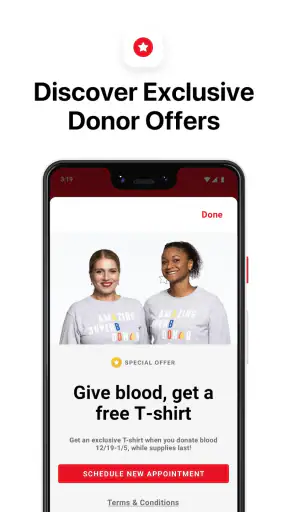
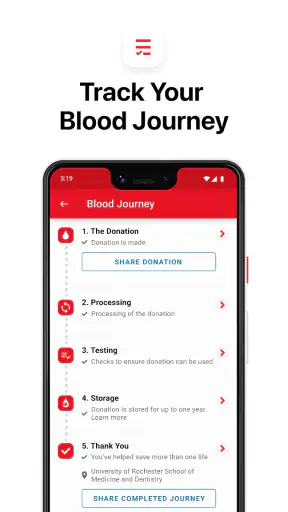
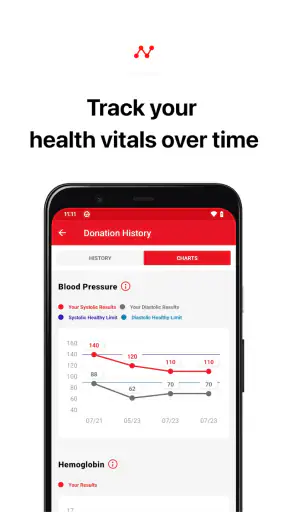
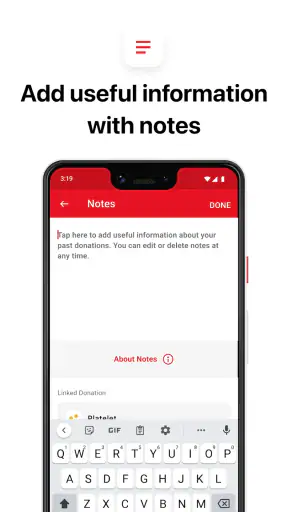
Blood donation is one of those good intentions that can easily get buried under a busy week. I found Blood Donor most useful when it turned that intention into a practical routine: checking donation-related information, keeping track of my next step, and using a phone instead of relying on scattered notes or memory. It is a free medical app from the American Red Cross, aimed at people who donate blood or platelets and want a central place for that part of their healthcare routine.
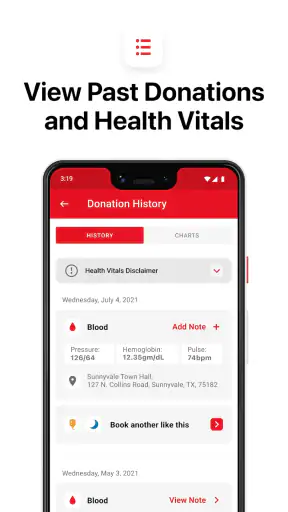
My overall impression is positive, but it depends on what you expect. This is not a general health tracker, an emergency medical guide, or a replacement for speaking with donation-center staff. Its value is narrower and more focused. When the app is connected and I am actively planning a donation, it feels much more useful than searching through old messages or trying to remember when I last gave blood. When I only want broad medical education or an app that works independently of a network connection, it is a less natural fit.
How Blood Donor fits into real donation planning
The first useful moment is usually before leaving home
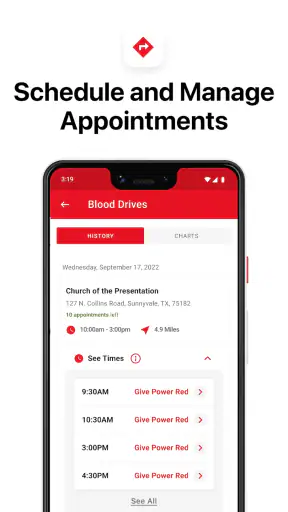
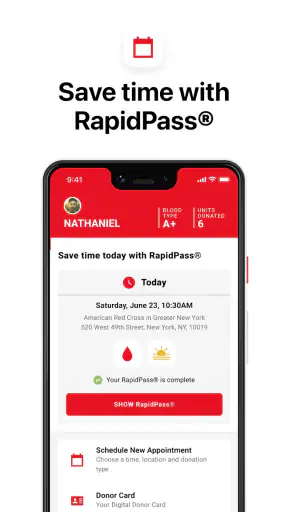
The app makes the most sense as part of the period between deciding to donate and actually arriving at a donation location. That is when small uncertainties tend to appear: where to go, what appointment information I need, whether I am looking at the right donation opportunity, and what I should remember before setting out. Having those details gathered on a phone is more convenient than switching between a browser, calendar entries, email, and paper reminders.
I would describe it as a coordination tool rather than a medical decision-maker. It can help me organize my intention to donate, but it should not be treated as permission to donate when I feel unwell or as a substitute for eligibility instructions from qualified staff. That distinction matters. A clean interface can make a process feel simple, while the actual decision to donate still depends on current health circumstances and the rules applied at the donation site.
The American Red Cross is a sensible developer for an app centered on its donation process, because the app’s purpose is tied to a recognizable blood-donation organization rather than a generic wellness brand. Still, I would keep the app’s role in perspective: it helps me interact with the donation process, but it does not turn a phone into a clinical assessment.
Connectivity changes what feels convenient
The strongest parts of the experience are the moments that depend on current information. Looking for an opportunity, reviewing appointment-related details, or checking information that may change over time naturally requires a connection. In those moments, the app is more comfortable than treating a mobile browser as my permanent donation dashboard. The dedicated format gives the task a clear place on my phone.
That dependence also creates a practical habit: I would check important details before walking into a building, traveling through an area with weak reception, or putting my phone into a bag for the day. I would not assume that every screen or action remains available when the connection disappears. For a donation appointment, that means saving the relevant time and location in a separate calendar or note if I need a dependable backup.
This is not a criticism unique to this app. Current appointments and changing availability are exactly the kinds of information that benefit from being online. The trade-off is that the experience is most reliable when I prepare while connected, rather than waiting until I am already on the move.
Why a dedicated app beats scattered alternatives
The usual alternative is to use a mobile website, search engine, email, calendar, and handwritten reminders together. That approach can work, especially for someone who donates rarely, but it spreads the process across several places. I found the dedicated app more useful for reducing that mental load. It gives donation planning a consistent home instead of asking me to reconstruct the process each time.
A calendar remains valuable, though. I would use it alongside Blood Donor rather than expecting the app to replace every planning tool on my phone. The calendar is better for protecting the appointment from other commitments, while the donation app is better suited to donation-specific information. That combination is more realistic than choosing one tool for everything.
A general health app is also not a direct substitute. Health trackers are designed around exercise, sleep, medication, or vital signs; they may say little about arranging a blood or platelet donation. Blood Donor feels more focused because the task is focused. The downside is equally clear: if donating is not part of my routine, I may find its narrower purpose less compelling than a broader health application.
A realistic mobile scenario
Imagine I am planning to donate after work. During lunch, I open the app on a stable connection and review the relevant opportunity. I check the location and appointment details, then put the time into my calendar with travel time included. Before leaving the office, I open the information once more rather than assuming I will have perfect reception on the way. If the location is unfamiliar, I also make sure I know how to reach it without depending entirely on a last-second screen load.
That workflow sounds simple, but it addresses a real weakness of mobile planning: the person often waits until the most inconvenient moment to verify everything. The app is most helpful when I use it early, while I have time to correct a mistaken date, adjust my schedule, or decide that I need to contact the donation center directly.
Using it in busy or low-attention situations
Blood Donor is designed for short, purposeful visits rather than long sessions. I would use it while sitting at home, taking a break, or preparing for a trip—not while walking, driving, or trying to make decisions under pressure. A phone screen is useful for organizing a donation, but it is not a reason to multitask carelessly.
Small preparation steps make a noticeable difference. I would keep the app updated, sign in or review any necessary account details before an appointment day, and avoid leaving all the important checking until I am standing outside the venue. I would also keep the appointment information in a second place that does not require me to remember exactly where it appeared in the app.
For people who donate regularly, this preparation becomes a repeatable routine. For first-time donors, the app can provide a more organized starting point than a web search, but I would still read the current instructions carefully and ask staff about anything personal or medically significant. The convenience of a mobile workflow should never encourage guesswork.
What happens when the connection is poor?
The most frustrating situation is predictable: I need a current detail, but the network is slow or unavailable. A page may take longer to load, an action may not finish clearly, or I may be unsure whether the latest information has appeared. In that situation, repeatedly tapping the same control is not a good recovery strategy. I would first check the connection, wait briefly, and then reopen the relevant screen rather than assuming the first attempt succeeded.
For appointments, I consider a separate record essential. A calendar entry with the date, time, and location protects me from a last-minute connectivity problem, although it should not be treated as proof that the appointment is still current. If something looks inconsistent, the safer response is to verify it through the appropriate official channel or with donation-center staff.
This is one of the app’s important trade-offs. A connected service can present information that is more current than a printed note, but it is also more exposed to reception problems and service interruptions. I prefer current information, yet I plan around the possibility that my phone will not be able to retrieve it at exactly the moment I want it.
Recovery after changing plans
Real schedules change. A work meeting runs late, transportation becomes difficult, or I simply realize that I am not feeling well enough to continue with the plan. The app is helpful when it gives me a clear place to revisit the donation arrangement, but I would not assume that changing plans inside an app automatically resolves every practical issue. I would look for clear confirmation after any change and keep an eye out for messages or updated appointment details.
If the app does not immediately show the result I expect, I would avoid making a second change in a rush. First I would refresh or reopen the relevant area, then check another confirmation source if one is available. This is a small but important habit for any appointment-based service: unclear feedback is a reason to verify, not to keep pressing buttons.
For someone who often has unpredictable days, this may be a limitation. The app can organize a donation, but it cannot make an uncertain schedule predictable. A person who rarely knows whether they will be free may prefer to use it for finding information and then speak directly with the center about the most suitable arrangement.
Being careful with personal and medical information
Because this is a medical-category app, I would use a little more care than I would with a casual shopping or entertainment app. I would avoid entering sensitive information while connected to an unfamiliar public network, keep my phone protected, and review each screen before submitting anything. That advice is not about assuming a problem with this particular app; it is simply sensible behavior whenever a service relates to health and appointments.
I also would not use the app as a private diary for symptoms or as a place to make a medical judgment based on a quick glance. If I have a question about eligibility, medication, illness, travel, or any other personal factor, the right answer may require current guidance from the donation organization or a healthcare professional. The app can support the process, but it should not be asked to settle questions beyond its role.
Using a separate calendar entry can be useful, but I would keep that entry minimal. The date, time, and location are usually enough for planning; there is no need to copy sensitive health details into several apps. This reduces duplication and makes it easier to remove or update information later.
Who will get the most from it?
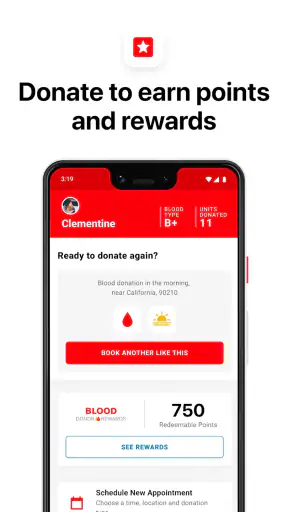
I think Blood Donor is best for current or prospective American Red Cross donors who want a focused mobile way to organize blood or platelet donations. It is especially suitable for people who dislike searching repeatedly for the same information, who manage appointments from a phone, or who want a dedicated reminder that donating is part of their routine.
It can also help a first-time donor feel less scattered. The app gives the process a recognizable starting point, while the phone format makes it easy to check details during a normal day. I would still pair that convenience with careful reading and direct questions when something is unclear.
I would be less likely to recommend it to someone who does not donate and has no immediate plan to do so. It is not a broad medical reference or an all-purpose health manager. I would also be cautious about recommending it as the only planning tool to someone who frequently travels through areas with unreliable reception or who needs a fully self-contained offline record.
Scale, compatibility, and everyday expectations
The app has been available since September 5, 2014, and its current version is 2.25.1. It is rated for Everyone, costs nothing to download, and requires at least operating system version 10. Those details make it approachable for many phone users, although anyone with an older device should check compatibility before building a donation routine around it.
Its public reception is strong: it holds a 4.8 average from around 34 thousand ratings, with roughly 6.8 thousand written reviews and over 1 million installs. I see that as evidence that the focused purpose resonates with many users, not as a guarantee that every screen will suit every donor. A high average cannot remove the effects of device differences, network quality, or a person’s particular donation needs.
My practical verdict on connected use
I recommend Blood Donor when the goal is to make blood or platelet donation easier to organize through a phone. Its best quality is focus. Instead of competing with every other health tool, it concentrates on a meaningful task and makes connected planning feel more direct than juggling unrelated services.
The app works best when I use it before I am under time pressure: confirm details at home or during a reliable connection, place the appointment in my calendar, and keep a simple backup record. That workflow respects both sides of the experience. I get the convenience of current mobile information without pretending that a network connection is guaranteed everywhere.
My main recommendation is to treat the app as a connected donation companion, not as the sole source of medical advice or the only record of an appointment. With that expectation, it is a useful free tool for donors who want a more organized routine. If I needed general health tracking, extensive offline access, or answers to personal medical questions, I would choose a different type of app or contact the appropriate professional instead.


